Cobber Casino App and Mobile Access in Australia
 Available in US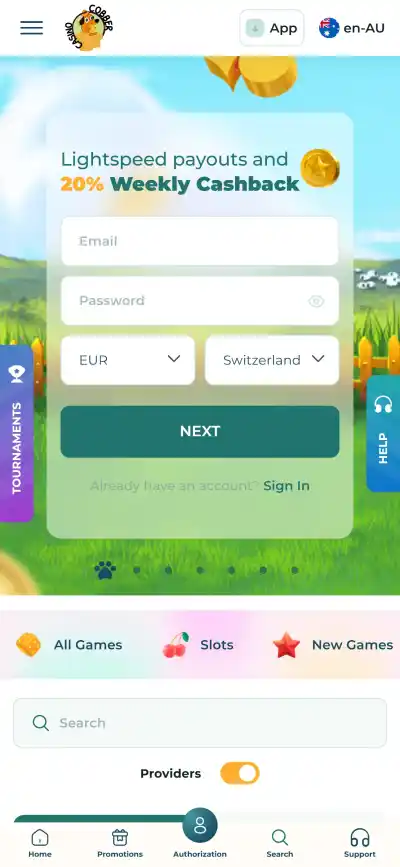
Cobber does not need a conventional app-store download for its main mobile experience. Its current Australian FAQ says the site offers a progressive web app, or PWA, for Android and desktop, with an “Install PWA” option in the top menu. For iPhone and iPad users, Cobber says the website is fully customised for mobile use rather than describing a separate native iOS application.
That distinction matters when searching for a “Cobber Casino app”. On Android, the official route is the web-based PWA installed from Cobber itself. On iOS, the practical route is the mobile website in the browser. Unless Cobber publishes and verifies a native App Store or Google Play listing, third-party download pages should not be treated as an official app source.
Table of Contents
- What the Cobber app actually is
- Android: PWA access from the official site
- iPhone and iPad: mobile web instead of a verified native app
- Mobile login and account continuity
- Games on a phone: catalogue size is not the same as availability
- Payments from mobile
- How to recognise the official mobile route
- Support when mobile access goes wrong
- Which mobile route makes sense for your device?
- Broader Cobber overview
What the Cobber app actually is
The phrase “casino app” can describe several different things: a native application distributed through an app store, a browser shortcut saved to a home screen, or a progressive web app with app-like behaviour. Cobber’s own FAQ specifically describes its product as a progressive web app for Android and desktop. That is the clearest way to understand the current setup.
A PWA is delivered through the website rather than through a traditional software store. Once installed, it can appear on the device like a normal app icon and open in its own window, but the underlying service remains web-based. This means updates can be delivered through the site without requiring the user to download a new application package from an app marketplace.
For Australian users, the useful point is not the technical label by itself. It is that there is no need to hunt for an APK file or an unofficial installer to get a dedicated shortcut. The current Australian-facing Cobber site is the starting point, and the PWA option is presented from within that environment.
Android: PWA access from the official site
Cobber’s FAQ says Android users can install the PWA from the top menu. In practice, that means the user begins in the browser on the official Australian-facing Cobber site and uses the site’s own installation control when it is available. The result is a home-screen entry that launches the same service in an app-like format.
This route is preferable to searching the wider web for a “Cobber APK” because an APK is a separate Android installation file. Cobber’s published mobile instructions do not require that kind of file. If a third-party page asks a user to download an installer, disable Android security settings or sideload software, that is different from the PWA process described by Cobber.
The PWA should also be understood as an access layer rather than a separate casino account. Login details, balances and account status remain tied to the same Cobber account. Payment availability and game availability likewise depend on the account and current Australian-facing service rather than on whether the site is opened from a browser tab or a saved PWA icon.
iPhone and iPad: mobile web instead of a verified native app
For iOS users, Cobber’s FAQ says its site is customised and mobile-friendly. It does not, in that statement, identify a separate native iPhone application distributed through Apple’s App Store. The sensible interpretation is therefore that iPhone and iPad access is browser-based unless Cobber publishes a verified store listing later.
That is not necessarily a disadvantage for routine use. A well-adapted mobile site can still provide the functions that matter most: sign-in, account navigation, cashier access, game browsing and support. What should be avoided is assuming that a search result carrying the Cobber name is an official iOS application simply because it uses app-style language.
Users who prefer a home-screen shortcut can use the browser’s own add-to-home-screen features where supported, but that should not be confused with installing a native App Store product. The difference is worth keeping clear because app-store listings identify the developer and use the store’s own distribution controls, while web shortcuts are simply another way of opening a website.
Mobile login and account continuity
The mobile experience uses the same Cobber account rather than creating a separate mobile profile. That makes account continuity straightforward: the important credentials are the email address and password associated with the account, not the device on which the site is opened.
Cobber’s Australian FAQ also stresses that users should provide accurate account information and that the email used to create an account cannot simply be changed later through normal settings. That makes it sensible to treat mobile login as part of the same account-security routine used on desktop. Avoid storing credentials on shared devices, and use the official site rather than links forwarded from unknown sources.
If verification is required, the account process remains the same whether the user reaches Cobber from a phone or desktop. The separate Cobber registration and KYC explains how identity checks can become part of account use and withdrawals.
Games on a phone: catalogue size is not the same as availability
Cobber’s mobile access opens the same general game environment, but Australian players should not assume that every title shown in the global catalogue is playable from Australia. Cobber’s current Terms apply provider-level geographic restrictions to some content, including restrictions that name Australia.
On a smaller screen, category and provider filters are particularly useful because the catalogue is large. Rather than treating mobile as a different games product, it is better to think of it as another view of the same lobby. The Cobber games and pokies explains the provider restrictions and the difference between a game appearing in the broader catalogue and being available to an Australian account.
Mobile performance can also differ by game, browser and connection, but there is no basis for promising a particular frame rate, loading time or battery profile across devices. Those are device-specific outcomes rather than stable features of the Cobber service.
Payments from mobile
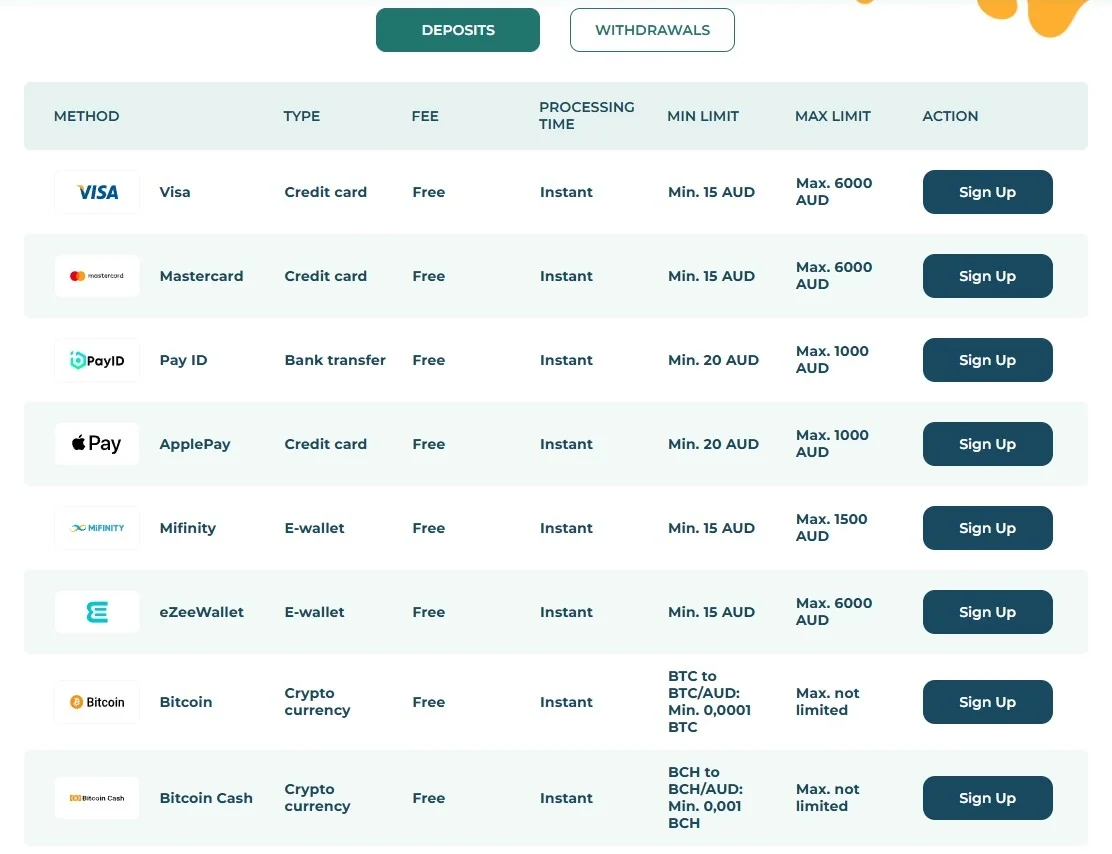
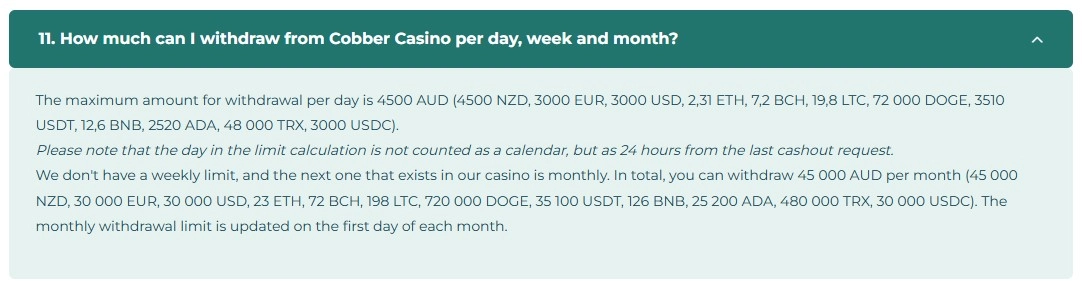
The cashier is part of the account experience, so using a phone does not create a separate set of payment rules. AUD support, minimums, withdrawal limits and verification requirements come from the account and selected payment method, not from whether the user is on desktop or mobile.
This is especially useful to remember when a payment hand-off opens a banking or wallet app. The transaction may move between the Cobber browser session and another service, but the underlying deposit or withdrawal remains subject to Cobber’s published cashier rules and the payment provider’s own controls.
For current AUD options and the role of PayID, cards, e-wallets and crypto, see the Cobber payment methods. For larger or delayed cashouts, the dedicated withdrawal page is more useful than trying to infer timing from how quickly a deposit was completed.
How to recognise the official mobile route
Searching for casino apps can surface download pages, mirrors and similarly named software. Cobber’s published setup makes the safest route relatively easy to identify: start from the official Cobber domain and use the mobile options presented there.
- Check the domain first. The Australian-facing Cobber site uses the Cobber Casino domain and an en-AU locale.
- Expect a PWA on Android. Cobber says the installation option appears in its own top menu.
- Expect browser access on iOS. Cobber describes the iOS site as mobile-friendly rather than directing users to a verified native store app.
- Avoid unofficial installer files. A third-party APK is not part of the PWA process described in Cobber’s FAQ.
- Do not share login or verification material with an app directory. Account details belong on the official service and its normal support channels.
If Cobber later launches a native application, the most reliable confirmation would be a link from its own site to the relevant store listing. Until then, the PWA and mobile website are the verified access methods described by Cobber.
Support when mobile access goes wrong
Cobber lists live chat and email support, with live chat described as available 24/7. Those channels are more useful than reinstalling unknown software if the PWA icon disappears, a login fails or a mobile browser behaves unexpectedly.
A simple first check is to open the official site directly in the browser. If the browser version works but the saved PWA shortcut does not, the issue may be with the local shortcut or cached web data rather than the account itself. If both routes fail, support can help distinguish an account problem from a device-side problem.
For account verification or locked-account questions, keep the discussion tied to the official support channels and the account and KYC process. Sensitive identity documents should not be sent to third-party app sites that merely claim to provide mobile access.
Which mobile route makes sense for your device?
Android users who want an app-like shortcut have the clearest fit with Cobber’s PWA. It provides the dedicated icon and standalone feel many people expect from an app without requiring a separate store download. Desktop users can also use the PWA if they prefer that presentation.
iPhone and iPad users should approach Cobber as a mobile website first. The current official wording supports that route, and there is no need to invent a native-app step that Cobber does not currently document. For occasional use, simply keeping the official site bookmarked may be the most straightforward option.
Whichever device is used, the important boundaries stay the same: the mobile layer does not change the account, payment rules or provider restrictions. Use the official site, treat unverified app-download claims cautiously, and choose the PWA or browser route that matches the device.
Broader Cobber overview
For the wider product overview, return to the full Cobber review.
Published by the Cobber Casino team.